
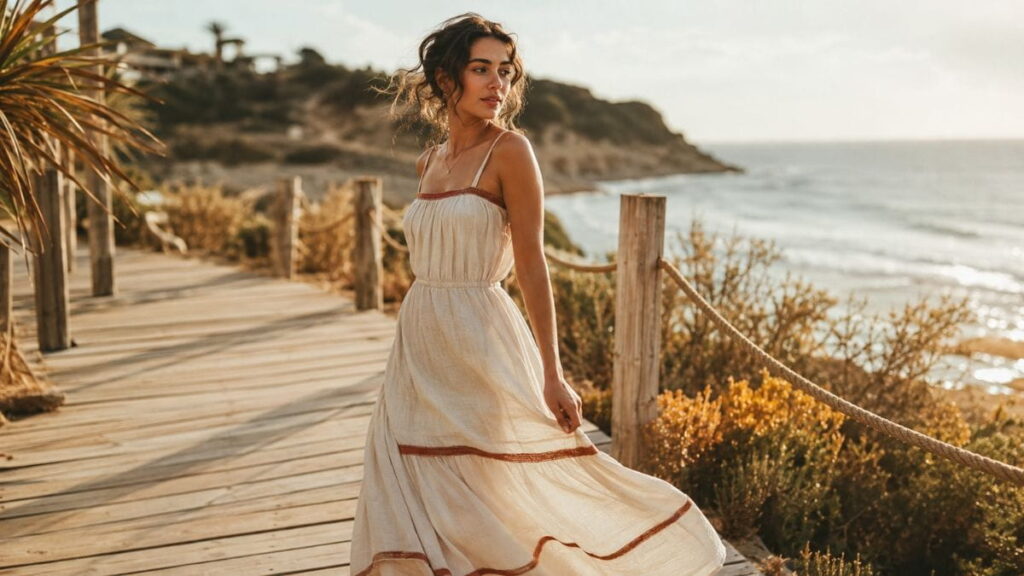
Summer AI Fashion Prompts are quietly changing how creators, stylists, and everyday hobbyists design outfits. If you’ve spent an afternoon typing random words into an image generator and gotten back a stiff, plastic-looking mannequin instead of a breezy summer look you’d actually wear, you’re not alone — and you’re not doing anything wrong. You just haven’t seen the actual hacks yet. That’s what this guide is for.
Below you’ll find ten tested Summer AI Fashion Prompts hacks, the exact reasoning behind each one, and a step-by-step “how to apply it” section so you can copy, tweak, and start generating outfits that look like they belong on a lookbook rather than a stock-photo reject pile.
Why Summer AI Fashion Prompts Actually Work
Before we get into the individual hacks, it helps to understand why Summer AI Fashion Prompts need a different approach than, say, prompts for landscapes or portraits. Clothing is one of the hardest things for an AI image generator to render correctly. Fabric folds, stitching, transparency, and the way light bounces off different materials all have to be described—because the model has no idea what “summer” means to you specifically unless you tell it.
A vague prompt like “woman in summer outfit” gives the model almost nothing to work with, so it falls back on generic training-data averages: flat lighting, plastic-looking skin, and outfits that feel like they were designed by committee. A well-built prompt, on the other hand, gives the model concrete sensory details – fabric type, light source, camera angle, mood – and that’s what separates an amateur result from something that looks editorial.
Tools like Midjourney, Adobe Firefly, Leonardo.Ai, and Stable Diffusion all respond to the same underlying logic, even though their interfaces differ. Once you understand the pattern, you can move between platforms without starting from scratch. If you’re new to prompting in general, our How to Write AI Fashion Prompts: 8 Powerful Secrets guide is a good companion piece to this one, and our Best Fashion Prompt AI Examples for Midjourney roundup can help you pick the right tool before you start. If you’re just getting into this as a hobby, our AI Fashion Prompts for Students guide is also worth a look.
It’s also worth saying plainly: none of this requires expensive software or a design degree. Every hack in this guide is just a way of translating an idea you already have in your head – “breezy”, “beachy”, “effortless” – into language a machine can actually act on. That translation step is the entire skill. Once you can do it reliably, Summer AI Fashion Prompts stop feeling like a slot machine and start feeling like a design tool you’re actually in control of.
Now, let’s get into the ten hacks.
Hack 1: Anchor the Season with Fabric Language
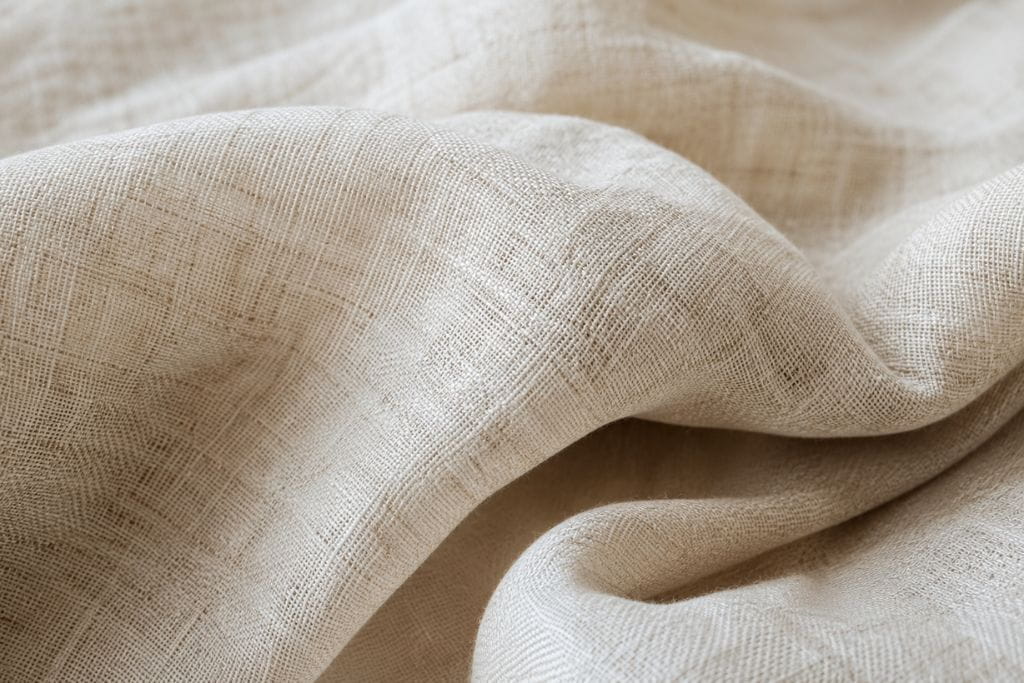
The single biggest mistake people make with Summer AI Fashion Prompts is describing the season instead of the fabric. Writing “summer dress” tells the model almost nothing. Writing “linen sundress” tells it everything: drape, weight, breathability, and the slightly wrinkled texture that reads as effortless rather than stiff.
Fabrics carry seasonal information baked in. Linen, cotton voile, seersucker, chambray, and lightweight silk all instantly signal “warm weather” to an image model in a way the word “summer” alone never will. This is the single highest-leverage change you can make to any prompt in this category. If you want to go deeper on how fold, drape, and weave actually render, our Photorealistic Fabric Folds Prompts for AI Fashion Illustration guide breaks this down in far more technical detail.
How to Apply It
- Swap generic clothing nouns for fabric-specific nouns: “linen shirt” instead of “shirt”, “cotton poplin skirt” instead of “skirt”.
- Add a texture cue after the fabric name, like “linen blazer with visible weave texture” or “crinkled cotton voile dress”.
- Combine two fabrics for contrast, such as “linen trousers with a silk camisole”, which reads as intentional styling rather than a random outfit.
- Keep the fabric word close to the front of the sentence so the model weighs it heavily.
Hack 2: Use Lighting Words, Not Just Location Words
Saying “on a beach” or “in a garden” tells the model where the scene happens, but it doesn’t tell the model how the scene should feel. Lighting is what makes an outfit photo look premium instead of flat, and it’s one of the most underused levers in Summer AI Fashion Prompts.
Golden hour, dappled shade, soft overcast light, and hard midday sun all produce dramatically different renders of the exact same outfit. If you’ve ever gotten a washed-out, overly bright result, it’s almost always because lighting was left undefined. Good Summer AI Fashion Prompts treat lighting as a first-class detail, not an afterthought.
How to Apply It
- Add a specific time-of-day phrase: “late afternoon golden hour light” or “soft early morning light”.
- Describe how light interacts with the outfit: “sunlight filtering through linen fabric” or “warm rim light along the shoulders”.
- Avoid vague words like “nice lighting” — models can’t interpret vague adjectives; they respond to physical descriptions.
- Pair lighting with the location for coherence: “golden hour light on a coastal boardwalk” reads far more naturally than either detail alone.
Hack 3: Layer in a Real Photography Style
One of the fastest ways to escape the “obviously AI” look is to reference an actual photography style or camera characteristic. This works because image models were trained on real photographs tagged with real photography terminology, so those terms pull the output toward genuinely photographic qualities.
This is arguably the most transformative of all the Summer AI Fashion Prompts hacks because it affects the entire image at once rather than a single detail. For a much deeper dive into camera and lighting terminology specifically, our 100 Powerful AI Fashion Photography Prompts guide is built entirely around this idea.
How to Apply It
- Reference a film stock or camera type: “shot on 35mm film”, “shot with an 85mm lens,” “shallow depth of field.”
- Mention a photographic genre: “editorial fashion photography”, “candid street style photo,” “lookbook photography.”
- Add a grain or finish cue: “subtle film grain” or “natural skin texture, not airbrushed”.
- Avoid stacking more than two or three photography terms at once — too many competing style cues can confuse the render.
Common mistake to avoid: piling on multiple contradictory styles at once — “editorial photography, anime style, 3D render” — will produce a muddled hybrid that doesn’t commit to any of them. Pick one photographic lane and stay in it. This single fix resolves more disappointing Summer AI Fashion Prompts results than almost anything else in this list, because style confusion tends to bleed into fabric rendering, lighting, and even facial detail all at once.
Hack 4: Describe Movement, Not Just Poses
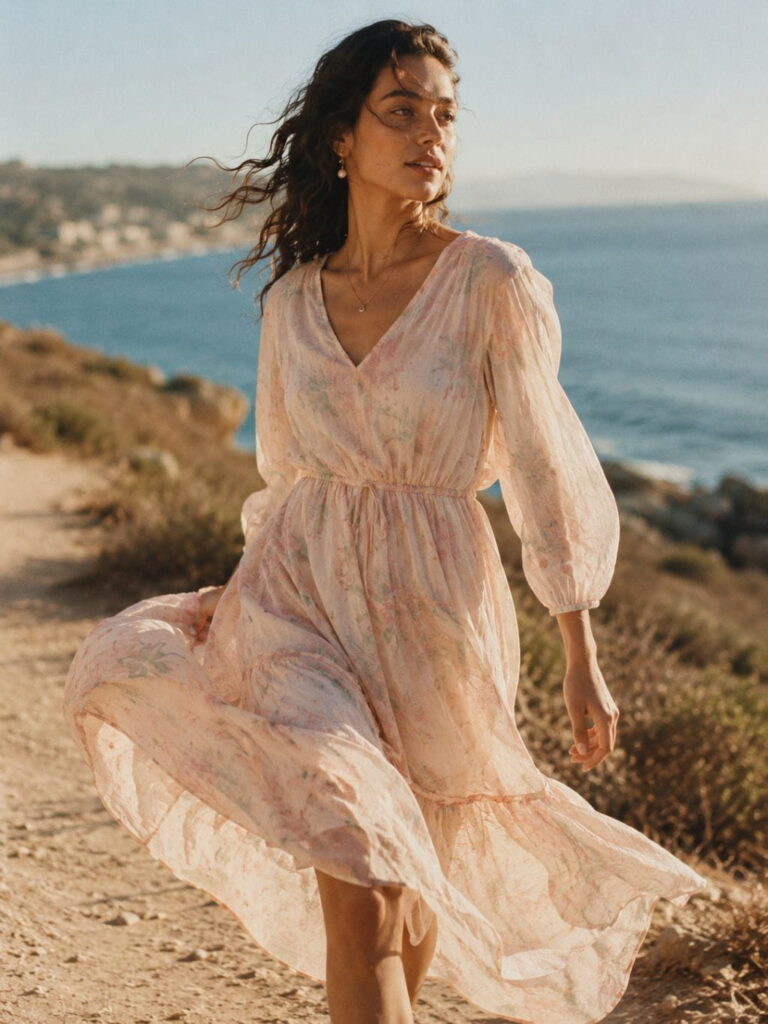
Static poses are a dead giveaway of AI-generated fashion images. Real summer fashion photography almost always captures a moment of motion — a skirt caught mid-swing, hair lifted by a breeze, a hand adjusting a hat. Describing motion gives your Summer AI Fashion Prompts a sense of life that a stiff “standing pose” never will. Of every hack in this guide, this is the one most people skip entirely, which is exactly why it stands out so much when done well.
How to Apply It
- Use active verbs instead of static ones: “walking,” “twirling,” “adjusting sunglasses,” instead of “standing.”
- Add an environmental force: “wind lifting the hem of the dress” or “hair blown to one side by a light breeze.”
- Combine motion with candid framing: “captured mid-stride,” “caught mid-laugh.”
- Keep the motion believable for the fabric — heavy denim won’t billow the way silk chiffon does, so match your verbs to the material from Hack 1.
Hack 5: Get Specific with Color Palettes
Color is doing more work than most people realise. A vague prompt lets the model choose colours that clash or feel muddy, while a specific palette instruction produces a cohesive, professional-looking result. This is one of the easiest Summer AI Fashion Prompts upgrades because it takes only a few extra words. If you enjoy building out full palettes like this, our AI Vintage Fashion Prompts guide leans heavily on sun-faded, retro tones that translate surprisingly well into summer looks.
How to Apply It
- Name three colors maximum: “terracotta, cream, and sage green palette.”
- Reference a real-world inspiration for color mood: “warm Mediterranean color palette” or “sun-bleached pastel tones.”
- Specify where each color goes: “cream linen top, terracotta wide-leg trousers.”
- Avoid overly saturated color words like “neon” or “vibrant” unless that’s genuinely the aesthetic you want — they tend to push the render toward a more artificial look.
Hack 6: Add Texture Contrast for Realism
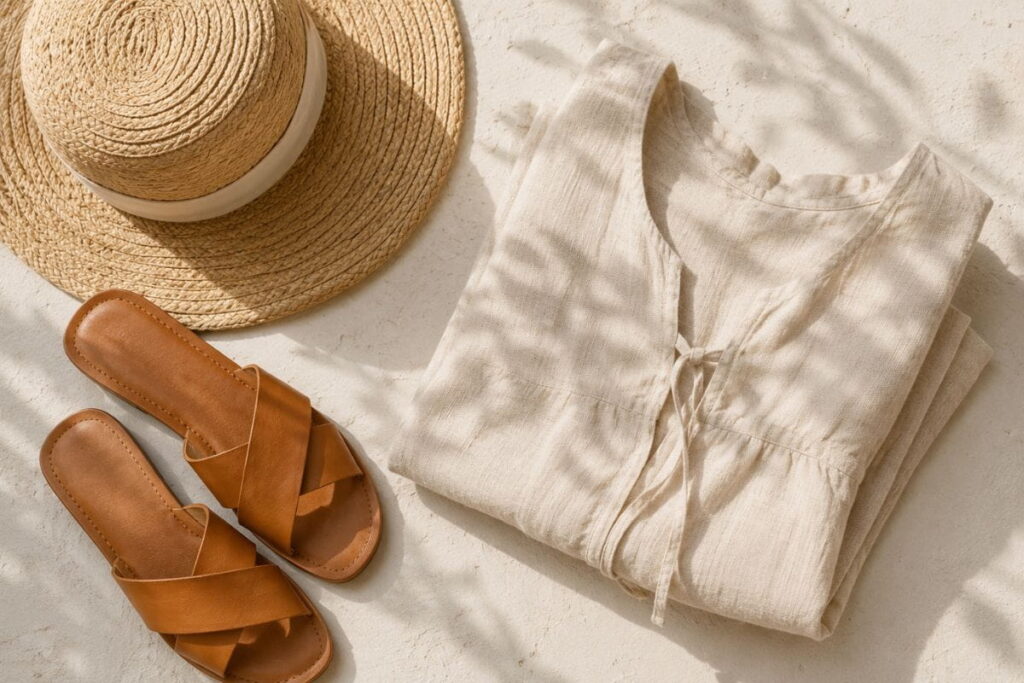
Real outfits are rarely made of a single texture. A linen dress paired with a straw hat and leather sandals has three distinct textures working together, and describing that contrast helps the model render depth and realism instead of a flat, single-material look. This is a small detail, but it’s one of the fastest ways to make Summer AI Fashion Prompts feel tactile instead of flat.
How to Apply It
- List at least two contrasting textures: “smooth silk scarf against woven straw bag.”
- Mention accessories with their own material: “gold hoop earrings,” “woven leather sandals,” “tortoiseshell sunglasses.”
- Use the word “texture” directly when needed: “visible linen weave texture” for extra emphasis.
- Keep the list concise — three to four texture cues is the sweet spot before the prompt becomes cluttered.
Hack 7: Use Negative Prompts to Kill the “AI Look”
Most platforms that support Summer AI Fashion Prompts, including Stable Diffusion-based tools, let you specify what you don’t want alongside what you do want. This is one of the most overlooked levers for realism because people spend all their effort on the positive prompt and never touch the negative one.
How to Apply It
- Add common negative terms: “no plastic skin, no extra fingers, no warped fabric, no oversaturated colors.”
- If your tool doesn’t support a dedicated negative prompt field, phrase it positively instead: “natural skin texture” rather than “not plastic skin.”
- Test negative prompts one at a time so you can see which term actually changes the output.
- Keep a saved negative-prompt template you reuse across every fashion generation — consistency here saves enormous time.
Hack 8: Reference Real-World Body Proportions
Fashion images look “off” fastest when proportions are unnatural. Describing realistic proportions explicitly is a simple but powerful fix, and it’s especially important for full-body Summer AI Fashion Prompts where the model has more room to introduce distortion.
How to Apply It
- Add a grounding phrase like “natural body proportions, standing on solid ground.”
- Specify the shot type to control how much of the body is visible: “full-body shot” or “waist-up shot.”
- Avoid extreme pose descriptions that are physically difficult, since these are the poses most likely to render with anatomical errors.
- If you get a distorted result, regenerate with a simpler pose before troubleshooting anything else — pose complexity is the most common root cause.
Hack 9: Set a Believable Background Story
A great outfit still falls flat if the background feels like a random backdrop instead of a real place. Giving the scene a small narrative detail — what the person is doing, where they’ve just come from — helps the model choose consistent lighting, framing, and mood, all of which reinforce your Summer AI Fashion Prompts results.
How to Apply It
- Add a one-clause backstory: “just stepping off a vintage bicycle outside a seaside café.”
- Keep the story simple — one action, one location — so the model doesn’t have to juggle competing scene elements.
- Match the backstory to the fabric and color choices from earlier hacks for full coherence.
- Avoid overly busy backgrounds unless the outfit is the clear visual priority; a simple setting keeps attention on the clothing.
Hack 10: Iterate in Small, Deliberate Steps
The final and most important hack isn’t a single phrase — it’s a workflow. The best Summer AI Fashion Prompts are rarely perfect on the first try. Professional AI stylists change one variable at a time and compare results, rather than rewriting the entire prompt after every generation. Treat every generation as a small experiment rather than a final answer, and your Summer AI Fashion Prompts will improve noticeably within just a handful of tries.
How to Apply It
- Generate a baseline image with a solid prompt using Hacks 1–9.
- Change only one element per new generation — swap the lighting, then the color, then the pose — so you know exactly what caused each change.
- Save your favorite prompt as a template and build a personal “prompt library” for different outfit categories.
- Use upscaling or refinement tools once you land on a strong composition, rather than starting over from scratch.
Choosing the Right Tool for Your Summer AI Fashion Prompts
Not every AI image generator handles fashion the same way, and picking the right one can save you dozens of wasted regenerations. Here’s a quick, practical breakdown of how the major platforms tend to perform with Summer AI Fashion Prompts specifically.
| Tool | Best For | Notes on Fashion Rendering |
| Midjourney | Editorial, painterly fashion looks | Excellent fabric texture and lighting; supports style parameters that pair well with Hack 3 |
| Adobe Firefly | Commercial-safe imagery | Trained on licensed content, which matters if you plan to sell or publish the result |
| Leonardo.Ai | Fine control over pose and composition | Strong support for negative prompts (Hack 7) and fine-grained sliders |
| Stable Diffusion (local or hosted) | Maximum customization | Best for advanced users who want full control over negative prompts and custom models |
None of these tools are strictly “better” across the board — they’re better at different parts of the ten-hack framework above. If commercial usage rights matter to you, that’s a bigger factor in your choice than which tool produces the prettiest render on the first try.
Common Mistakes That Sabotage Summer AI Fashion Prompts
Even with all ten hacks in hand, a few recurring mistakes account for most of the disappointing results people run into. Watching out for these will save you time before you even start troubleshooting individual Summer AI Fashion Prompts.
Writing a prompt that’s all mood, no material. Words like “chic,” “effortless,” and “elegant” feel descriptive to a person but mean almost nothing to an image model, because they don’t correspond to a physical, visual property. Every mood word should be backed by at least one concrete fabric, color, or lighting term from Hacks 1, 2, or 5.
Overloading a single prompt with too many ideas. Trying to cram a fabric, three colors, a pose, a backstory, a photography style, and an accessory list into one dense sentence often causes the model to average everything into a blurry compromise. It’s usually better to nail four or five of the strongest hacks well rather than attempting all ten in a single sentence at maximum intensity.
Ignoring aspect ratio and framing. A full-body outfit shot needs a taller aspect ratio than a close-up portrait. If your Summer AI Fashion Prompts keep cropping off shoes or hats, the fix is usually the frame settings in your tool, not the wording of the prompt itself.
Forgetting to save what works. Because generation is fast and cheap to repeat, people rarely bother saving their best prompts. Keep a running document of your strongest Summer AI Fashion Prompts so you can reuse and remix them instead of reinventing the wheel every session.
Bringing It All Together
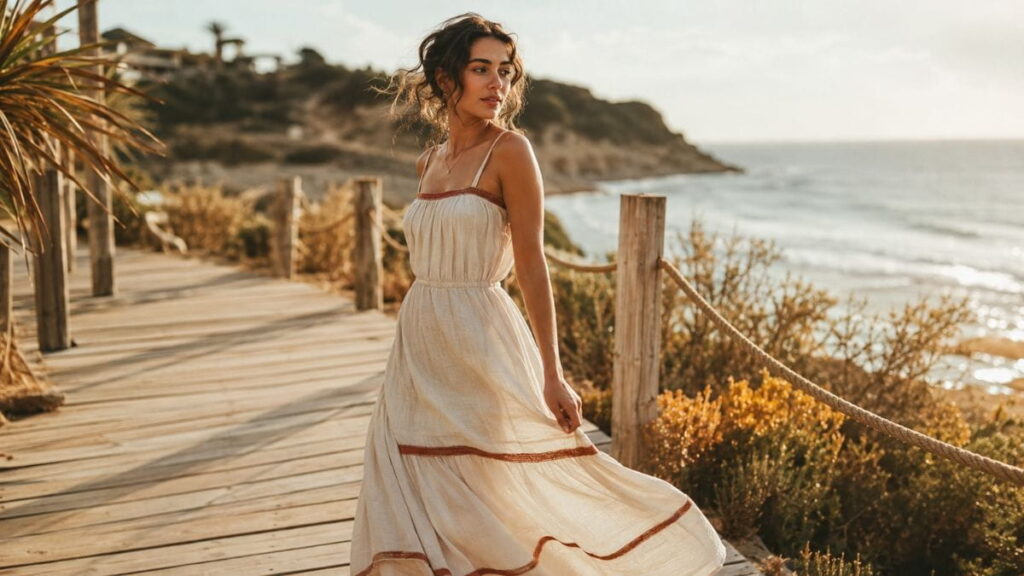
None of these ten hacks work in isolation — they compound. A prompt built from fabric language, purposeful lighting, a photography style reference, natural movement, a tight color palette, texture contrast, a negative prompt, realistic proportions, a small backstory, and deliberate iteration will consistently outperform a prompt that only uses one or two of these techniques. This is really the whole thesis behind strong Summer AI Fashion Prompts: small, specific details compound into a result that looks intentional rather than random.
Here’s what a combined prompt might look like in practice:
“Editorial fashion photography, woman walking along a sun-bleached boardwalk, wind lifting the hem of a linen sundress in cream and terracotta tones, straw hat, leather sandals, golden hour light, shot on 35mm film, shallow depth of field, natural skin texture, natural body proportions — no plastic skin, no warped fabric.”
That single sentence uses every hack from this guide. It’s longer than the average prompt, but every word is pulling weight, which is exactly the point.
If you want to keep building on this foundation, our 100 Powerful AI Fashion Photography Prompts guide walks through full editorial shot lists, and if you’d rather go glossy than beachy, our 100 Luxury AI Fashion Prompts for Runway & Editorial Photoshoots pairs well with Hack 5 and Hack 9 above. For a couple of highly specific specialty prompts, Luxury Red Velvet Couture AI Fashion Prompt and Luxury Silk Evening Gown AI Fashion Prompt both show the fabric-first approach from Hack 1 pushed to its most detailed extreme.
For inspiration from real-world editorial fashion photography, Vogue’s runway archive is a genuinely useful reference library when you’re stuck on what a “real” outfit photo should look like, and Pinterest’s fashion mood-board search is a fast way to collect reference images before you start writing a prompt at all.
FAQ: Summer AI Fashion Prompts
What makes a prompt count as a “Summer AI Fashion Prompt” specifically?
It’s less about literally including the word “summer” and more about using seasonal fabric, color, and lighting language — linen, cotton voile, golden hour, pastel or sun-warmed palettes — that reads as warm-weather without needing to say so directly.
Do these hacks work on every AI image generator?
The underlying logic works across most major tools, including Midjourney, Adobe Firefly, Leonardo.Ai, and Stable Diffusion-based platforms, though the exact syntax for negative prompts (Hack 7) varies by tool.
Why do my AI-generated outfits look plastic or airbrushed?
This is almost always a texture and lighting issue. Adding fabric-specific language (Hack 1), a photography style reference (Hack 3), and a negative prompt against “plastic skin” (Hack 7) usually resolves it within two or three regenerations.
How long should a good fashion prompt actually be?
There’s no fixed word count, but most strong prompts fall between 25 and 60 words once you’ve layered in fabric, lighting, style, and colour details. Shorter prompts tend to leave too much to chance.
Can I use these hacks for other seasons, not just summer?
Yes — the framework itself is season-agnostic. Simply swap the fabric words (wool, corduroy, and fleece for winter), the colour palette, and the lighting mood, and the same ten hacks apply. If you want to see the framework applied to a completely different aesthetic, our AI Streetwear Fashion Prompts and AI Vintage Fashion Prompts guides use the exact same ten-hack logic, just with different fabric and colour vocabulary.
Is it okay to use AI-generated fashion images commercially?
Usage rights depend entirely on the platform’s terms of service, so it’s worth checking the specific tool’s licensing page before using an image commercially, especially for paid advertising or resale.
How many of the ten hacks do I actually need to use in one prompt?
You don’t need all ten every time. Most strong results come from combining four or five: fabric language (Hack 1), lighting (Hack 2), a photography style (Hack 3), color palette (Hack 5), and a negative prompt (Hack 7) is a reliable minimum combination. Add the rest as you refine a specific image.
Why does the same prompt give me different results every time?
This is expected behaviour, not a bug. Most AI image generators use randomised “seeds” by default, so identical wording produces varied output unless you lock the seed value — a setting available in most advanced interfaces. If you find a result you love, look for a way to save or lock that seed so you can make small, controlled edits rather than starting over.
Do I need to know fashion terminology to write good prompts?
Not extensively, but learning a handful of fabric and silhouette terms — linen, voile, A-line, wide-leg, and cap sleeve — pays off disproportionately. You don’t need a fashion degree; you need about twenty vocabulary words, most of which are covered directly in Hacks 1, 5, and 6 above. Our AI Fashion Prompts for Students guide is a gentler starting point if you’d rather build that vocabulary gradually.
A Quick Recap Before You Start Generating
If you only remember one thing from this guide, remember this: Summer AI Fashion Prompts succeed or fail based on specificity, not creativity. You don’t need a poetic prompt — you need a precise one. Fabric names beat mood words. Lighting descriptions beat location names alone. A photography style reference beats a vague request for “realistic.” Motion beats static posing. A tight color palette beats an open-ended one. Texture contrast beats a single-material outfit. Negative prompts beat hoping for the best. Realistic proportions beat ambitious poses. A one-line backstory beats an empty backdrop. And small, deliberate iteration beats rewriting the whole prompt from scratch every time.
Put together, these ten hacks form a repeatable checklist rather than a one-off trick. That’s the real value of treating Summer AI Fashion Prompts as a system: once you’ve internalized the pattern, you can apply the same thinking to any season, any aesthetic, and any platform, and you’ll get consistent, professional-feeling results instead of a lucky roll of the dice.
Whether you’re building a personal style mood board, prototyping a small fashion brand’s lookbook, or just having fun exploring what AI can do with a wardrobe you’ll never actually own, these ten hacks give you a real framework instead of guesswork. Bookmark this page, keep the sample prompt from the section above as a starting template, and build your own library of go-to Summer AI Fashion Prompts from there.
Have a favorite prompt combination that works well for you? Save this guide, test the examples above, and refine your own Summer AI Fashion Prompts library one small iteration at a time.