
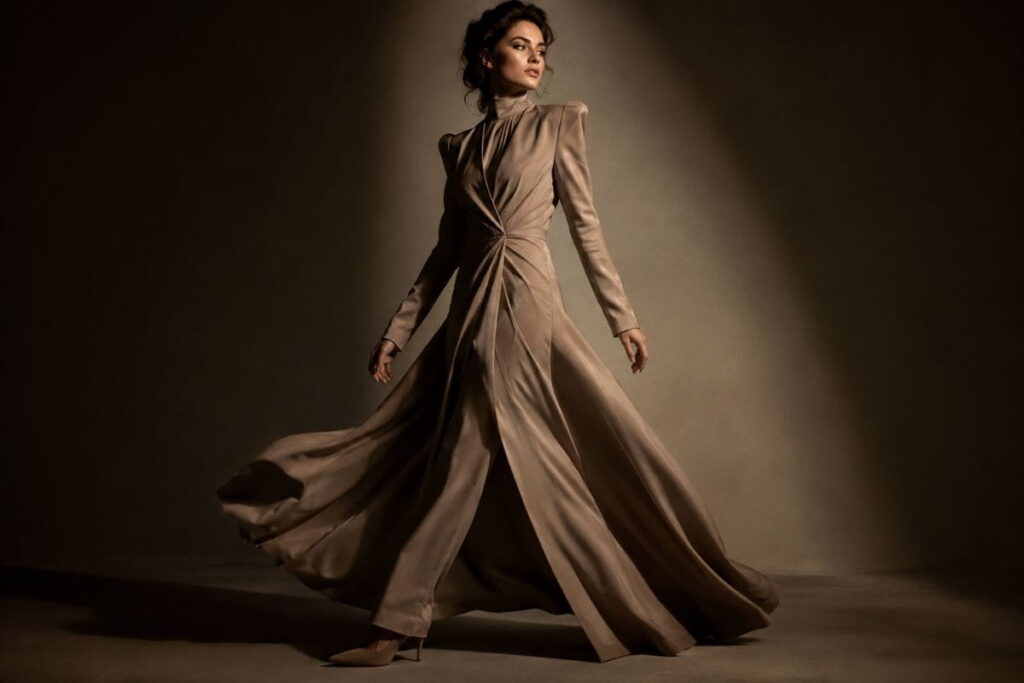
If you’ve spent an evening typing random adjectives into Midjourney and getting flat, plasticky, “AI-looking” fashion shots, you’re not alone. Almost everyone starts there. The good news is that the best Midjourney prompts for fashion photography aren’t about luck or secret code words — they follow patterns that real photographers already use on set, just translated into prompt language.
This guide breaks down nine of those patterns, or “hacks,” that consistently separate amateur-looking AI fashion images from ones that could pass for an actual editorial spread. For each one, you’ll get the reasoning behind it and a section on exactly how to apply it in your own prompts.
What Makes the Best Midjourney Prompts for Fashion Photography Actually Work
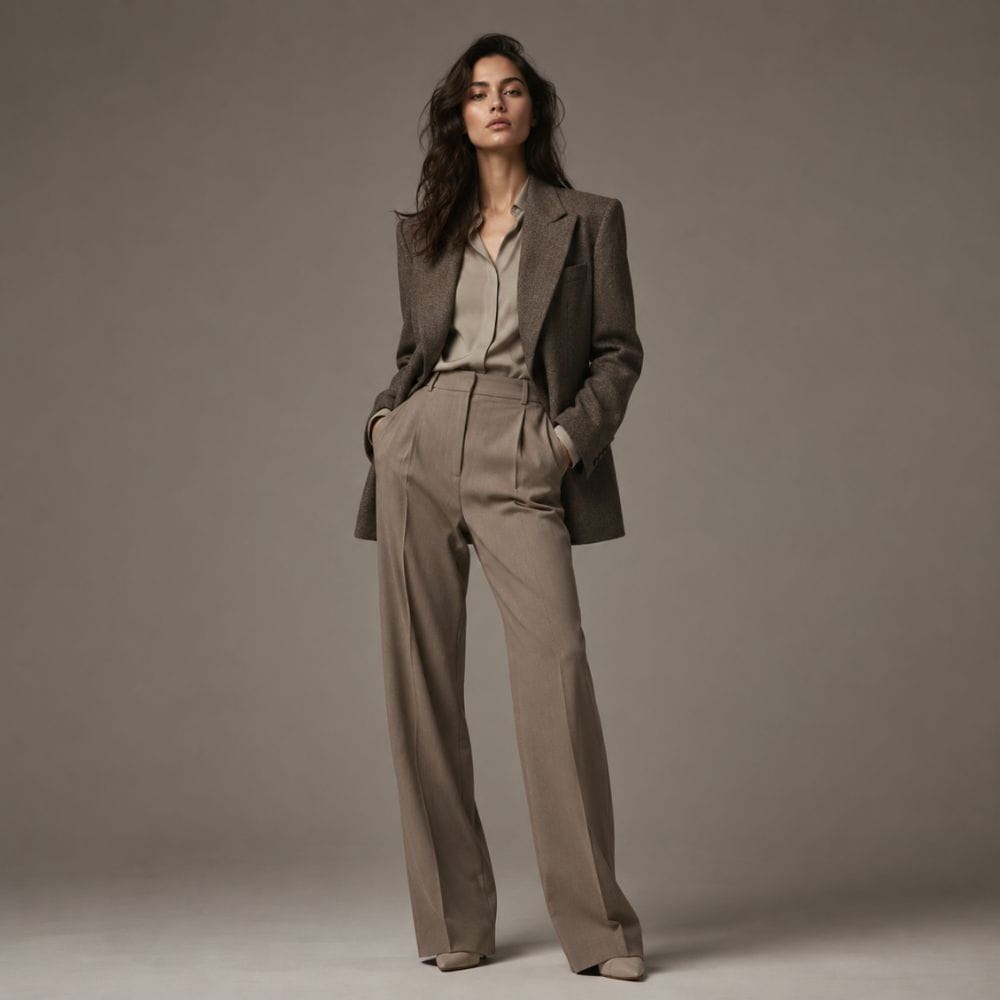
Before jumping into individual hacks, it helps to understand why most fashion prompts fail in the first place. Midjourney doesn’t think in vague concepts like “pretty dress” or “nice photo.” It thinks in specific, describable details — the kind a photographer, stylist, or art director would actually say out loud on a real shoot.
A weak prompt might read: “beautiful woman in red dress, fashion photo.” That’s a request with almost no direction, so the model fills in the blanks with generic, overused defaults — the same lighting, the same pose, the same slightly-off proportions you’ve probably already seen a hundred times.
A strong prompt reads more like a photographer’s shot list: camera, lens, lighting setup, fabric behavior, mood, and composition, all stacked together. That’s really the entire secret behind the best Midjourney prompts for fashion photography — they read like production notes, not wishes.
There’s also a mindset shift worth making before you write a single word. Most people approach Midjourney like a search engine — type a short phrase, hope for the best, regenerate if it’s wrong. Photographers approach a shoot like a production: they plan the light, choose the lens, direct the model, and pick the film stock before anyone presses the shutter. The best Midjourney prompts for fashion photography come from borrowing that second mindset. You’re not asking for a picture. You’re writing a shot brief.
That distinction matters because it changes what you spend your time on. Instead of hunting for a magic keyword that unlocks better results, you start building a repeatable structure: subject and fabric, pose and emotion, lighting setup, camera and lens, color and era, then technical parameters. Once that structure becomes second nature, you can adapt it to any fashion niche — bridal, streetwear, menswear, saree and ethnic wear, avant-garde — just by swapping the details inside each layer.
A few common mistakes are worth naming upfront, because almost every one of the nine hacks below exists specifically to fix one of them:
- Over-relying on adjectives instead of specifics. Words like “stunning,” “beautiful,” or “amazing” carry no visual information for the model. Replace them with concrete, describable details.
- Ignoring lighting entirely. This is the single biggest quality gap between beginner and advanced prompts.
- Cramming too many ideas into one prompt. Ten competing style references confuse the model more than they help it.
- Never using parameters. Aspect ratio and stylize settings do a huge amount of visual work for very little effort.
- Regenerating randomly instead of testing one variable at a time. This wastes credits and makes it hard to learn what’s actually working.
With that framing in mind, here are the nine hacks.
Hack 1: Lock In a Camera and Lens Reference
Midjourney has been trained on enormous amounts of real photography, complete with camera and lens metadata. When you reference a specific camera body or lens, you’re not just adding flavor text — you’re pulling the model toward the actual optical characteristics of that gear: depth of field, compression, grain, and color rendering.
How to Apply It
Add a camera and lens combination near the end of your prompt, phrased the way a photo credit would read. Something like:
shot on Canon EOS R5, 85mm f/1.2 lens, shallow depth of field
or, for a grittier editorial look:
shot on Kodak Portra 400 film, 35mm lens, natural grain
Swap the lens focal length depending on the shot type: 85mm–135mm for flattering portrait compression, 24mm–35mm for full-body editorial shots with more environment visible. This one tweak alone often fixes the “too smooth, too digital” look that gives AI images away.
This single move is why camera and lens references show up in almost every list of the best Midjourney prompts for fashion photography — it helps to understand roughly why this works. Camera and lens names aren’t just labels in Midjourney’s training data — they’re statistically linked to real photographs shot with that exact gear, complete with their characteristic bokeh shape, chromatic behavior, and sharpness falloff. A prompt that says “85mm f/1.2” is quietly telling the model: give me creamy, soft background blur with a sharply focused subject, the way portrait photographers actually shoot. Drop the lens reference entirely and the model defaults to a kind of averaged, all-purpose sharpness that reads as synthetic.
A quick reference for common fashion photography setups:
- Beauty and close-up portrait: 100mm–135mm, wide aperture (f/1.4–f/2)
- Classic editorial half-body: 85mm, f/1.8–f/2.8
- Full-length runway or lookbook: 35mm–50mm, f/4–f/5.6 for more of the outfit in focus
- Environmental streetwear shots: 24mm–28mm for a wider, more documentary feel
One mistake to avoid: don’t stack multiple camera references in a single prompt (for example, naming both a Hasselblad and a Canon). Midjourney will try to blend the two, and the result usually looks less coherent than picking one and committing to it.
Hack 2: Use Fabric-First Language
Generic clothing descriptions (“red dress,” “black suit”) give the model almost nothing to work with texture-wise, and yet fabric wording is one of the most overlooked pieces in most searches for the best Midjourney prompts for fashion photography. Real fashion photography lives and dies by how fabric catches light — silk pools and reflects, wool absorbs and softens, sequins scatter light in tiny points, denim holds hard shadow lines.
How to Apply It
Instead of naming the garment, describe the fabric behavior first, then the garment:
flowing silk charmeuse gown with liquid sheen, draped asymmetrical neckline
structured wool-blend blazer with sharp tailored shoulders
hand-beaded sequin bodice catching pinpoint highlights
This is especially useful if you’re building prompts around a specific category, like our luxury fabric prompt collection, which is built entirely around this fabric-first approach.
Here’s a quick cheat sheet of fabric-first phrases that consistently render well, organized by the visual effect they produce:
- For shine and movement: “liquid silk,” “high-gloss satin sheen,” “fluid draped chiffon”
- For structure and sharpness: “tailored wool crepe,” “stiff structured taffeta,” “architectural bonded fabric”
- For texture and depth: “raw linen weave,” “hand-embroidered brocade,” “napped suede finish”
- For sparkle and light play: “hand-beaded sequins,” “metallic thread embroidery,” “crystal-encrusted bodice”
Notice that none of these phrases mention color yet — that’s intentional. Fabric behavior and color are two separate instructions to the model, and combining them in the wrong order (color first, texture as an afterthought) tends to produce flatter results. A prompt built as “emerald green flowing silk gown with liquid sheen” generally out-performs “green silk dress” not because it’s longer, but because it gives the renderer a clear sequence: color, material, and how that material behaves under light.
This principle scales to non-Western fashion categories too. For saree and ethnic wear specifically, fabric-first language becomes even more important because draping behavior is central to the garment’s identity — phrases like “pleated silk saree with gold zari border, fabric pooling at the feet” consistently outperform a generic “woman in saree” prompt. You can see this approach applied throughout our saree and ethnic AI prompt collection.
Hack 3: Direct the Light Like a Photographer
Lighting is arguably the single biggest lever in fashion photography, and it’s the one most beginners skip entirely. “Good lighting” isn’t a real instruction to Midjourney — it needs an actual lighting setup name.
How to Apply It
Reference recognizable lighting styles used in real studios:
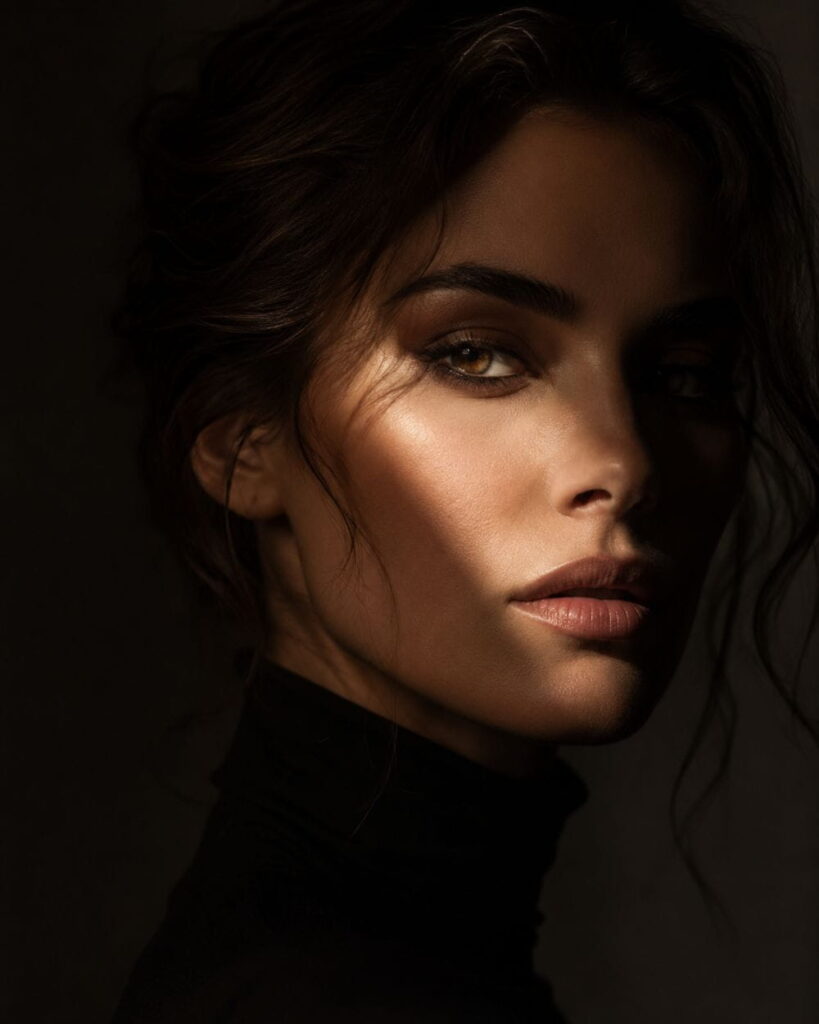
- Rembrandt lighting – dramatic, single-source light with a small triangle of light on the shadowed cheek, common in moody editorial portraits (more on the technique here).
- Butterfly lighting – light placed directly above and in front of the face, classic for beauty and glamour shots.
- Hard directional sunlight with long shadows – great for outdoor editorial or streetwear.
- Softbox studio lighting, even and diffused – clean, commercial catalog look.
Try: dramatic Rembrandt lighting, single key light, deep shadow falloff, cinematic contrast
Pairing a named lighting style with a mood word (more on that next) is one of the fastest ways to push a prompt from “stock photo” to “magazine cover.”
Ask most photographers what separates the best Midjourney prompts for fashion photography from average ones, and lighting is usually the first answer — it’s worth going a level deeper here, because lighting is the hack with the highest return on effort. Real fashion photographers think about light in terms of three questions: where is it coming from, how hard or soft is it, and what color temperature is it? Your prompt should try to answer all three, even briefly.
A few more lighting setups worth having in your back pocket:
- Split lighting – light source positioned directly to the side, illuminating exactly half the face. Reads as intense, editorial, slightly dramatic.
- Golden hour backlighting – warm, low-angle sunlight behind the subject, creating a soft rim of light around hair and shoulders. Ideal for romantic or lifestyle-adjacent fashion shots.
- Ring light beauty lighting – flat, even, shadowless illumination directly on the face. Common in close-up beauty and cosmetics-adjacent fashion content.
- Neon or colored gel lighting – saturated colored light sources (magenta, cyan, amber) common in nightlife-inspired or futuristic fashion editorials.
A useful habit is to match the hardness of the light to the mood you’re after. Hard, high-contrast light (direct sun, single hard studio strobe) tends to read as bold, powerful, or edgy. Soft, diffused light (overcast sky, large softbox, bounced light) tends to read as romantic, gentle, or approachable. If your lighting description and your mood words contradict each other — say, “harsh direct flash” paired with “soft romantic mood” — the model has to guess which one wins, and results get inconsistent. Keep them aligned.
The best Midjourney prompts for fashion photography combine realistic lighting, professional camera settings, fabric details, and editorial styling to produce AI-generated images that look polished and authentic.
Hack 4: Add Editorial Mood Words
Fashion photography sells a feeling as much as a garment, and mood language is often the missing ingredient between a flat render and one of the best Midjourney prompts for fashion photography you’ve written. Vogue doesn’t look like a shopping catalog, and that difference comes down to mood language: tension, elegance, rebellion, softness, power.
How to Apply It
Add two or three mood words that match the story you’re telling, placed near the lighting and styling terms:
moody, cinematic, high-contrast editorial atmosphere
soft, romantic, dreamlike pastel mood
bold, powerful, avant-garde energy
Match the mood to the category. Streetwear tends to pull well with words like raw, bold, urban energy, while our editorial fashion prompt set leans on cinematic, refined, high-contrast language for that magazine-cover feel.
Think of mood words as the emotional direction you’d give a model on set, not decoration you sprinkle on afterward. A director doesn’t just say “look pretty” — they say “I want quiet confidence here” or “give me something a little defiant.” Translating that same specificity into your prompt makes a measurable difference.
Here’s a breakdown of mood language grouped by the fashion category it tends to suit best:
| Category | Effective Mood Words |
| Luxury runway / couture | opulent, commanding, cinematic, dramatic |
| Editorial / magazine cover | refined, high-contrast, artistic, striking |
| Streetwear | raw, bold, gritty, urban, unapologetic |
| Romantic / bridal | soft, ethereal, dreamlike, delicate |
| Avant-garde | surreal, experimental, otherworldly, sculptural |
| Vintage-inspired | nostalgic, warm, timeless, cinematic |
One nuance worth mentioning: mood words work best in twos or threes, not longer strings. Piling on five or six emotional adjectives tends to average out into a bland middle ground rather than sharpening the result — the same way a client brief that says “make it edgy but also soft, bold but also minimal” leaves a photographer with nothing clear to work toward.
Hack 5: Control Composition With Aspect Ratio and Parameters
Even a perfectly worded prompt can fall flat if the framing doesn’t match the shot type — parameters are the technical layer that turns good wording into one of the best Midjourney prompts for fashion photography, not just a good idea. A full-length gown cropped into a square frame loses all its drama. This is where Midjourney’s parameters come in.
How to Apply It
Add these to the end of your prompt:
–ar 3:4 or –ar 2:3 for classic editorial portrait framing
–ar 16:9 for wide campaign or lookbook-style shots
–stylize 250 to 750 to control how artistic vs. literal the render is (higher = more stylized)
–v 6 (or whichever current model version) to ensure you’re using the latest rendering engine
A typical closing looks like: –ar 2:3 –stylize 500 –v 6
Full documentation on all current parameters is available on Midjourney’s official doc, which is worth bookmarking since parameters get updated periodically.
A few parameter combinations worth knowing beyond the basics:
- For catalog-style, commercially clean shots: lower stylize (–stylize 100–250) keeps the render closer to literal, minimizing artistic drift — useful if the outfit itself needs to be accurately represented for e-commerce or lookbook purposes.
- For dramatic, art-directed editorial shots: higher stylize (–stylize 600–1000) gives Midjourney more creative license with composition and lighting, often producing more visually striking results at the cost of literal accuracy.
- For consistent series work: using the same –seed across a batch while changing only the outfit or pose keeps lighting and camera characteristics consistent — genuinely useful if you’re building a cohesive lookbook rather than one-off images.
It’s also worth remembering that aspect ratio isn’t purely aesthetic — it’s functional. If you’re producing images for Instagram feed posts, –ar 4:5 fills more of the mobile screen than a square crop. For Pinterest, taller ratios like –ar 2:3 or –ar 9:16 tend to perform better because Pinterest’s layout rewards vertical pins. Matching your parameter choice to where the image will actually be published is a small step that’s easy to forget but affects real engagement.
Whether you’re creating luxury campaigns, runway concepts, or magazine-style editorials, using the best Midjourney prompts for fashion photography can significantly improve composition, lighting, textures, and overall image quality.
Hack 6: Borrow From Real Photography Eras and Movements
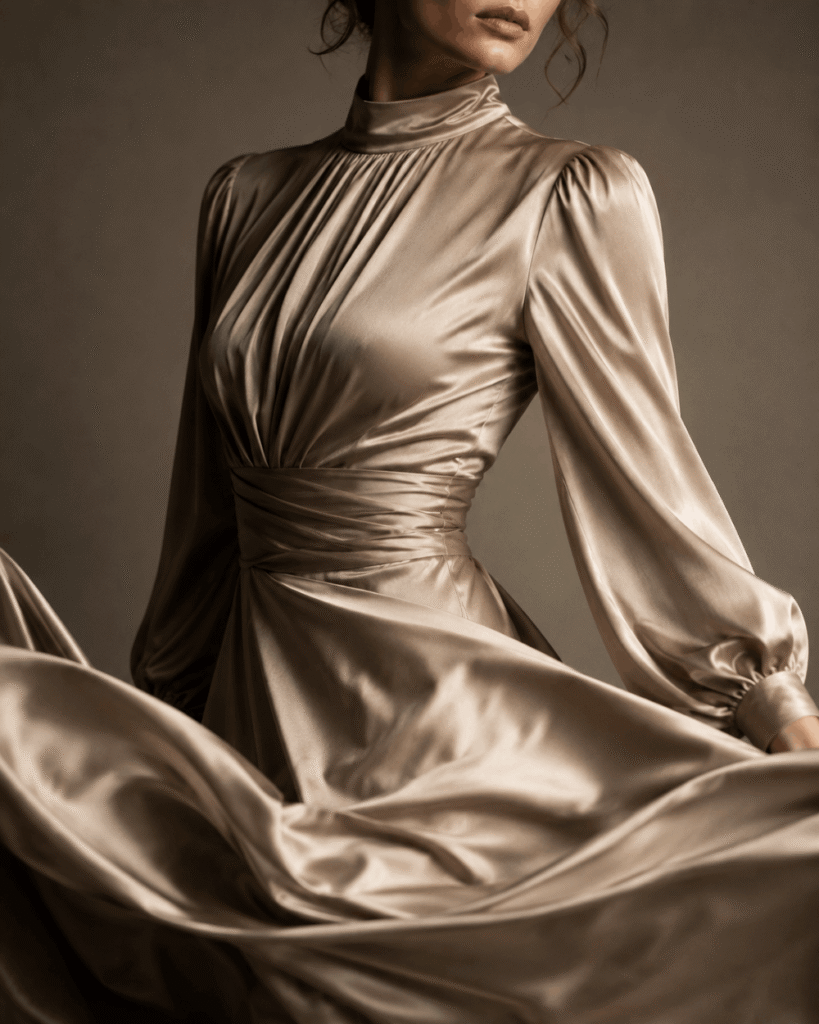
One of the fastest ways to give a prompt a distinct, non-generic identity — and a shortcut used in many of the best Midjourney prompts for fashion photography — is to anchor it to a real photographic era or movement Midjourney already “knows” from training data.
How to Apply It
Add an era or movement reference alongside your lighting and camera notes:
1990s film photography aesthetic, grainy texture, warm color cast
Y2K flash photography, direct on-camera flash, high saturation
1970s Vogue-style color grading, warm film tones
This works especially well for our vintage fashion prompt collection, where the era reference does most of the heavy lifting before you even add clothing details.
Why does this work so reliably? Photographic eras carry a whole bundle of visual traits with them — grain structure, color grading, lens flaws, even typical framing choices — that would otherwise take a dozen separate words to describe. Saying “1990s film photography” does the job of specifying grain, slightly desaturated color, and soft contrast all at once, which is far more efficient than trying to list each trait individually.
A short list of eras and movements that render distinctly and reliably:
- 1950s studio glamour – posed, formal, high-key lighting, classic Hollywood portrait feel
- 1970s Vogue color grading – warm, slightly faded tones, film-based warmth
- 1990s grunge/minimalist editorial – desaturated, raw, unpolished, documentary-style
- Y2K flash photography – direct flash, high saturation, slightly overexposed highlights
- 2000s glossy digital campaign – ultra-clean, high-gloss, saturated commercial look
One caution: pairing a strong era reference with a strongly contradictory modern element (say, “1970s film aesthetic” plus “futuristic holographic fabric”) can confuse the render, since the model is trying to reconcile two very different visual languages. When you want that kind of intentional clash — vintage styling with futuristic material, for example — it can still work, but expect to run more variations to land on a result that blends convincingly rather than looking like two separate images stitched together.
Hack 7: Layer Pose, Expression, and Emotion
A gorgeous outfit rendered on a stiff, mannequin-like pose still looks like AI art, and pose is one of the quickest fixes if you’re chasing the best Midjourney prompts for fashion photography rather than stock-photo stiffness. Pose and expression are what make an image feel like it was captured mid-moment rather than generated.
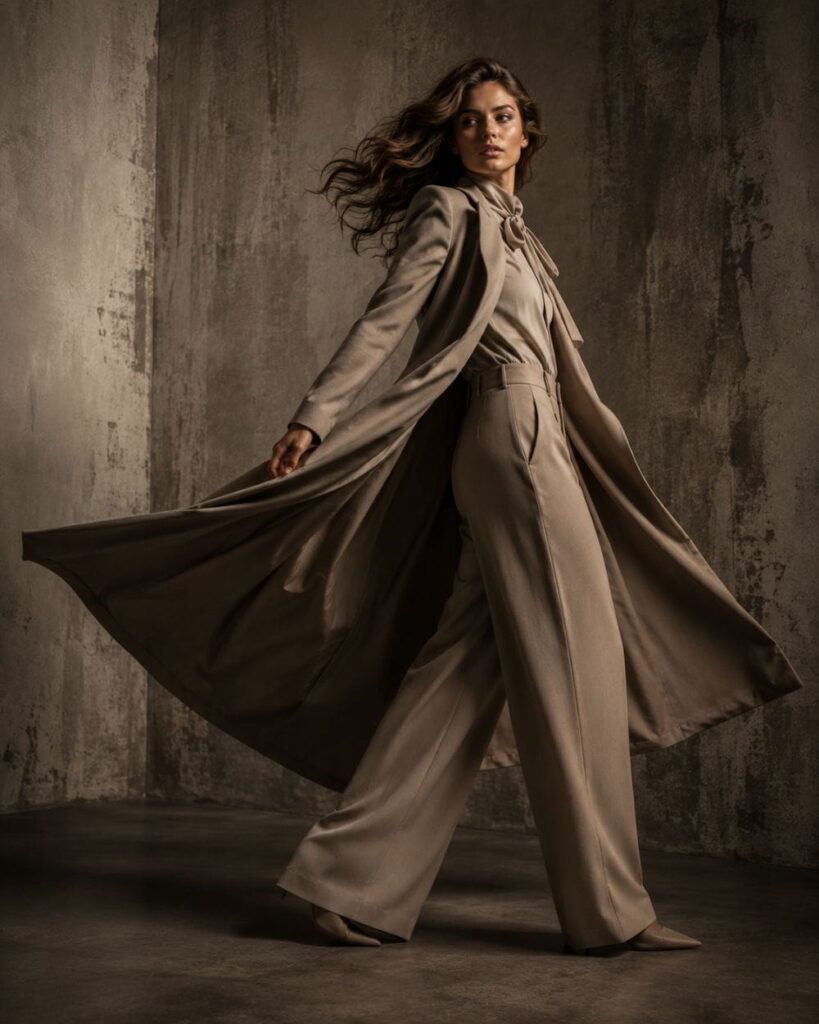
How to Apply It
Go beyond “standing” or “posing” and describe the physical action and the emotion behind it together:
mid-stride confident walk, chin slightly lifted, fabric caught in motion
leaning against textured wall, relaxed shoulders, subtle smirk
dynamic spin captured mid-motion, hair and fabric flowing
Pairing a physical action with a facial or emotional cue consistently produces more natural, less “posed-for-AI” results.
Real fashion photographers rarely shoot a completely static pose — even “standing still” shots usually involve a slight weight shift, a turned shoulder, or a hand doing something specific rather than hanging limply. That small amount of implied motion is what separates a photograph from a mannequin display, and it’s exactly what’s missing from most beginner AI prompts.
A useful trick is to think in three layers when writing pose descriptions:
- The body’s overall action — walking, turning, leaning, sitting, mid-motion
- A specific detail that shows physicality — fabric caught by wind, hair mid-flip, hand adjusting a sleeve
- The facial or emotional cue — a small smirk, a distant gaze, an intense direct stare into camera
Combined, that might read: mid-turn over the shoulder, coat flaring with the motion, hand brushing hair back, intense direct gaze into camera. That’s a very different instruction than “posing,” and it shows in the output — you’ll notice fewer stiff, front-facing, catalog-mannequin results once pose descriptions include genuine physical action.
For group or multi-model shots, this becomes even more important, since Midjourney needs distinct pose cues per figure to avoid rendering everyone in a nearly identical stance.
For group or multi-model shots, this becomes even more important, since Midjourney needs distinct pose cues per figure to avoid rendering everyone in a nearly identical stance.
As you experiment with different prompt structures, you’ll discover that the best Midjourney prompts for fashion photography follow a consistent formula built around camera references, lighting techniques, fabric descriptions, mood, and composition.
Hack 8: Use Negative Prompts to Clean Up Weird Artifacts
Fashion images are especially prone to AI’s classic weak points: warped hands, extra fingers, distorted jewelry, melted shoe details — cleaning these up is a quieter but essential part of assembling the best Midjourney prompts for fashion photography. Rather than regenerating endlessly and hoping, you can actively steer the model away from these problems.
How to Apply It
Add a –no parameter at the end of your prompt to exclude common problem areas:
–no extra fingers, distorted hands, blurry face, warped jewelry
This won’t guarantee perfection, but it noticeably reduces how often those artifacts appear, especially in close-up or hand-visible shots.
Negative prompting is most effective when it’s specific to what’s actually going wrong in your generations, rather than a generic list copied from somewhere else. Keep a running mental note (or an actual note) of what tends to break in your particular prompt style. Common categories worth having ready:
- Hand and finger issues: extra fingers, fused fingers, distorted hands, missing hand
- Facial issues in group or side-angle shots: blurry face, asymmetrical eyes, distorted features
- Accessory issues: warped jewelry, melted shoe details, floating accessories
- Fabric issues: unnatural fabric folds, fused clothing, incorrect garment seams
It’s worth noting that negative prompts work best when kept relatively short and targeted — a –no list with fifteen unrelated terms tends to be less effective than one with four or five terms specifically addressing your actual problem areas. Overloading the negative prompt can occasionally cause the model to overcorrect, producing unnaturally smoothed or simplified results in the areas you flagged.
Hack 9: Iterate on Purpose With Seeds and Variations
Random iteration wastes credits — purposeful iteration is what quietly separates the best Midjourney prompts for fashion photography from one-off lucky generations. Purposeful iteration — locking a seed and adjusting one variable at a time — is how professionals refine a look efficiently, and it’s a habit worth building into your workflow.
How to Apply It
- Generate an image you mostly like.
- Note its seed number (Midjourney provides this on request).
- Re-run the same prompt with –seed [number] and change only one element — lighting, fabric, or pose — to see its isolated effect.
- Repeat until the combination clicks.
This turns prompt-writing from guesswork into something closer to controlled testing, which saves both time and generation credits.
Think of it like a real photo shoot’s contact sheet. A photographer doesn’t reset the entire scene between every frame — they lock the lighting and camera position, then adjust one thing at a time: a pose change, a slight wardrobe adjustment, a different expression. Locking your seed and changing a single variable recreates that same disciplined process inside Midjourney.
A practical iteration workflow that works well for building out a full lookbook or content batch:
- Write your base prompt using Hacks 1–6 (camera, fabric, lighting, mood, parameters, era).
- Generate a batch and pick the strongest result as your “base look.”
- Lock that seed.
- Create variations by changing only the pose (Hack 7) across several generations, keeping everything else identical.
- Once you have a pose you like, unlock the seed again and adjust color or fabric for a second version of the same shot.
This method is especially useful if you’re producing content in volume — for social media calendars, product mockups, or a full seasonal lookbook — since it keeps a consistent visual identity across dozens of images instead of every shot looking like it came from a different photographer.
Putting It All Together: A Full Example of the Best Midjourney Prompts for Fashion Photography
Here’s what a prompt looks like once all nine hacks are combined:
Editorial fashion photograph, model in flowing silk charmeuse gown with liquid sheen, mid-stride confident walk, fabric caught in motion, dramatic Rembrandt lighting, deep shadow falloff, moody cinematic atmosphere, shot on Canon EOS R5, 85mm f/1.2 lens, shallow depth of field, 1970s Vogue-style color grading –ar 2:3 –stylize 500 –v 6 –no extra fingers, distorted hands, blurry face
Notice how each hack contributes one distinct layer — fabric, pose, light, camera, era, parameters, and cleanup — rather than everything being crammed into vague adjectives. If you’d rather skip the trial-and-error entirely, our premium AI fashion prompt packs are pre-built using this exact layering method, and you can also grab a smaller taste with our free AI fashion prompts before committing to the full set.
This collection of the best Midjourney prompts for fashion photography is regularly updated with new prompt ideas, practical techniques, and examples to help creators achieve professional results across a variety of fashion styles.
Building a Repeatable Prompt Workflow
Once you’ve tested each hack individually, the real time-saver in producing the best Midjourney prompts for fashion photography consistently is turning this into a template rather than rebuilding a prompt from scratch every time. A simple structure that works across almost every fashion category looks like this:
[Shot type] photograph, [fabric-first garment description], [pose + physical detail + emotion], [lighting setup], [mood words], shot on [camera], [lens], [era/color grading reference] –ar [ratio] –stylize [number] –v [version] –no [artifact terms]
Save that skeleton somewhere you can copy-paste from, and swap only the bracketed sections depending on whether you’re shooting runway, streetwear, bridal, or editorial content. Over time, you’ll build a personal library of go-to phrases for each slot — a handful of lighting setups you trust, a handful of camera/lens pairs you know work, a handful of mood-word combinations per category. That library is, functionally, exactly what separates people who get consistently strong Midjourney fashion results from people re-inventing the wheel every single prompt.
If building that library from scratch feels like a lot of trial and error, that’s exactly the gap our prompt collections are built to close — each one is organized by category (runway, editorial, streetwear, menswear, saree and ethnic, vintage, avant-garde) and follows this same layered structure, so you can start from a tested foundation and adjust rather than starting from nothing.
If you found this guide helpful, bookmark it for future reference and return whenever you need fresh inspiration from the best Midjourney prompts for fashion photography.
FAQ
What are the best Midjourney prompts for fashion photography if I’m just starting out?
The best Midjourney prompts for fashion photography for beginners start simple: pick one lighting style, one fabric description, and one camera/lens reference, then build up gradually. Trying to stack all nine hacks at once before understanding each individually usually leads to overloaded, contradictory prompts.
Do I need Midjourney’s paid plan to get good fashion photography results?
You need at least a paid subscription tier to generate images at all, since Midjourney doesn’t currently offer a free unlimited tier. Higher tiers mainly affect generation speed and volume, not prompt quality — the wording matters more than the plan level.
Why do my Midjourney fashion images look “too AI”?
It’s almost always missing lighting direction, missing camera/lens reference, or overly generic clothing description. Adding those three elements alone (Hacks 1, 2, and 3 above) fixes the majority of “obviously AI” results.
Can I use these prompts for commercial fashion projects?
Generally yes, but always check Midjourney’s current terms of service for your specific subscription tier, since commercial usage rights can depend on plan type and revenue thresholds.
How long should a good fashion prompt be?
There’s no fixed rule, but most consistently strong results come from prompts in the 40–80 word range — long enough to cover fabric, lighting, pose, and camera, but not so long that the model starts ignoring earlier details.
What’s the difference between Midjourney and DALL·E for fashion photography?
Midjourney generally produces more photorealistic, editorial-style lighting and texture out of the box, while DALL·E tends to follow literal instructions more precisely but with a flatter, more illustrative look. Many creators use both depending on whether they need realism or graphic clarity.
Building your own library of the best Midjourney prompts for fashion photography takes time — if you’d rather start from tested templates, browse the full AI fashion prompts collection for ready-to-use options across runway, editorial, streetwear, and more.