
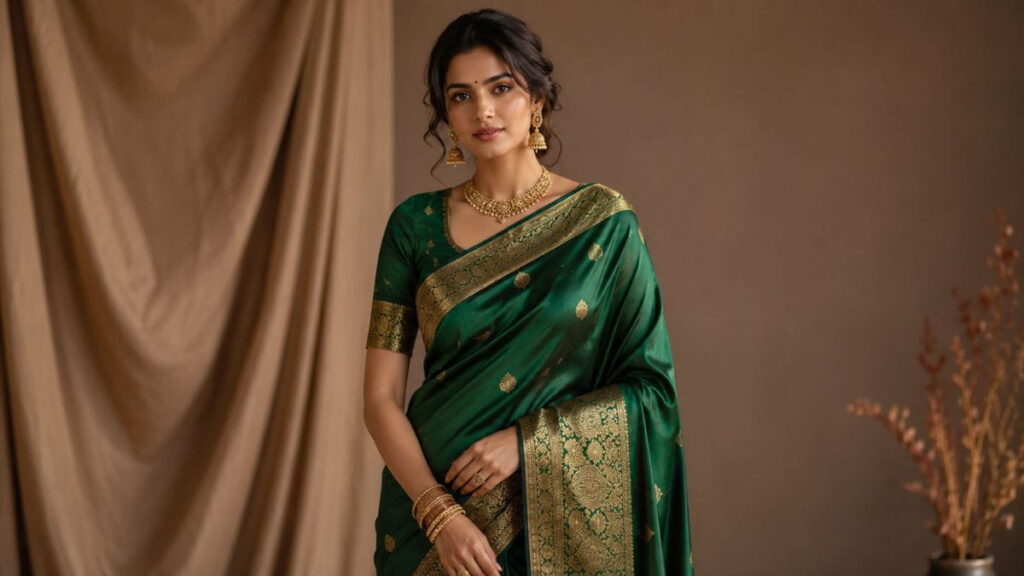
AI prompts for saree photography are quietly changing the way boutiques, stylists, and everyday saree lovers show off their collections online. If you’ve ever tried to shoot a saree at home and ended up with flat lighting, a wrinkled pallu, or colors that look nothing like the real fabric, you already know the struggle. Good saree photography used to mean a studio, a model, a photographer, and a budget most small sellers just don’t have.
That’s changed. With the right AI prompts for saree photography, you can now generate editorial-quality images, style variations, and even model mockups without touching a single studio light. This guide walks you through seven practical hacks — the exact prompts, the reasoning behind them, and how to apply each one to your own saree and ethnic wear shoots.
Before we dive in, if you haven’t already, take a look at our saree collection page for real examples of how these techniques translate into finished product photos.
Why AI Prompts for Saree Photography Matter Right Now
Ethnic wear is one of the most visually driven categories in fashion. A saree isn’t just a garment—it’s texture, drape, color, and craftsmanship all at once, and a mediocre photo can flatten all four into something that doesn’t do the fabric justice. Buyers scrolling through Instagram or a marketplace listing decide in under three seconds whether a saree is worth a second look.
This is exactly where these prompts earn their place in a seller’s toolkit. Instead of hiring a full crew for every new arrival, boutique owners are learning to write prompts that recreate studio lighting, natural drape, and even model styling using AI image tools. The output isn’t meant to replace real photography entirely — it’s meant to fill the gaps: quick previews for new stock, social media teasers, mockups before an actual shoot, and backup images when a physical shoot isn’t possible.
There’s also a practical SEO angle. Sellers who pair strong AI-generated imagery with keyword-rich product pages — think “banarasi saree photoshoot ideas,” “saree styling prompts,” or “ethnic wear photography hacks” — tend to see better click-through rates from search and social. A striking thumbnail earns the click; a well-optimized page earns the ranking.
There’s a learning curve here worth acknowledging. The first few times you try writing prompts for fabric, drape, and lighting together, the results can feel hit-or-miss. That’s normal. Prompting for ethnic wear is a slightly different skill than prompting for general product photography, because sarees involve movement, layered fabric, and fine woven detail that flat product shots don’t have to deal with. The seven hacks below exist specifically to shortcut that learning curve so you’re not starting from a blank prompt box.
Let’s get into the actual hacks.
Hack 1: The Studio-Light Simulation Prompt
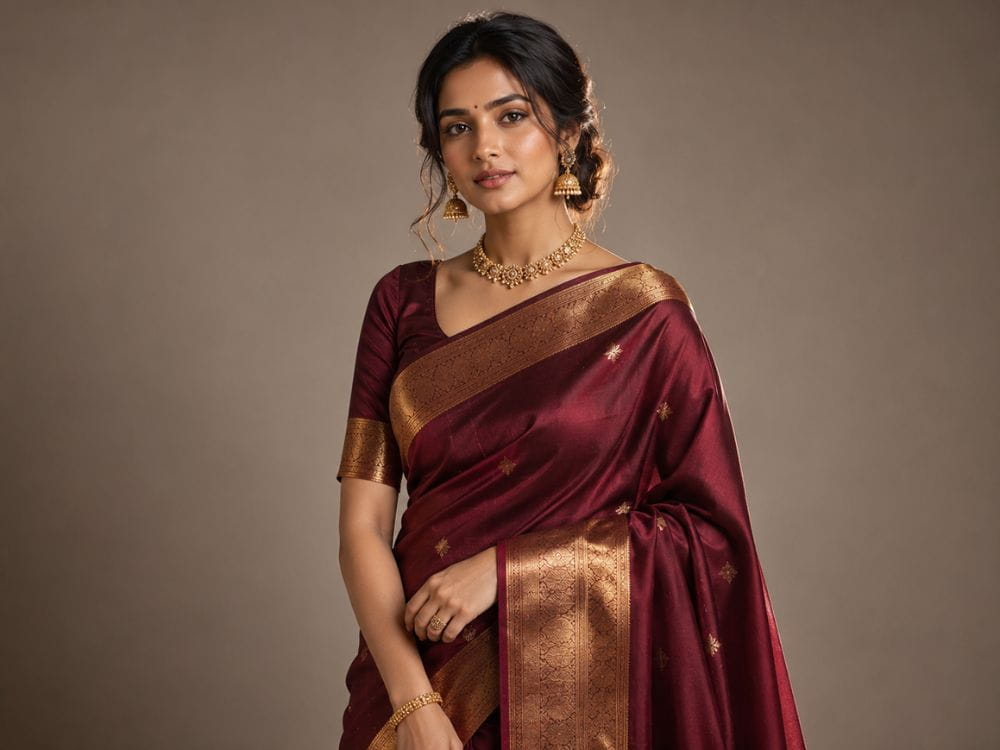
The single biggest complaint with home-shot saree photos is lighting. Harsh overhead bulbs create yellow casts, while window light alone often leaves half the drape in shadow, and mixed lighting sources can make a single saree look like two different colors in the same frame. This is the first — and arguably most useful — of our seven hacks because it fixes the most common visual flaw before anything else matters.
Lighting problems compound everything else on this list. A poorly lit photo makes color-true fabric prompts harder to judge, makes drape details harder to see, and makes even the best background storytelling prompt look muddy. Fix lighting first, and every other hack on this page becomes noticeably easier to execute well.
The prompt:
“Recreate this saree photo with soft studio softbox lighting from the front-left, gentle fill light from the right, subtle rim light on the pallu to separate it from the background, neutral white balance, no harsh shadows, fabric texture clearly visible.”
How to Apply It
Start with a clear, well-focused base image of the saree — flat lay or worn, doesn’t matter, as long as the fabric detail is visible and not blurry. Upload it to your AI image tool of choice and paste the prompt above, adjusting the direction of the light source to match your original photo’s shadows so the result looks believable rather than pasted on.
Run it two or three times with slight prompt tweaks—try swapping “softbox” for “diffused daylight” if the first output looks too artificial. Compare the outputs side by side and pick the one where the zari or border detail is sharpest, since that’s usually the first thing buyers zoom into. Save this as your default lighting prompt for every new saree you photograph; consistency across your catalog matters more than any single “perfect” shot.
Hack 2: The Drape-Accuracy Prompt
A saree that looks like it’s floating awkwardly on a mannequin or model instantly reads as low-effort. Drape accuracy is where a lot of AI-generated ethnic wear images fall apart, because generic prompts don’t understand how six yards of fabric actually falls, pleats, and pools at the feet.
The prompt:
“Show the saree draped in traditional Nivi style, pleats at the front falling straight and evenly spaced, pallu pinned neatly over the left shoulder with natural fabric weight and fall, no distortion in the border pattern, realistic fabric physics.”
How to Apply It
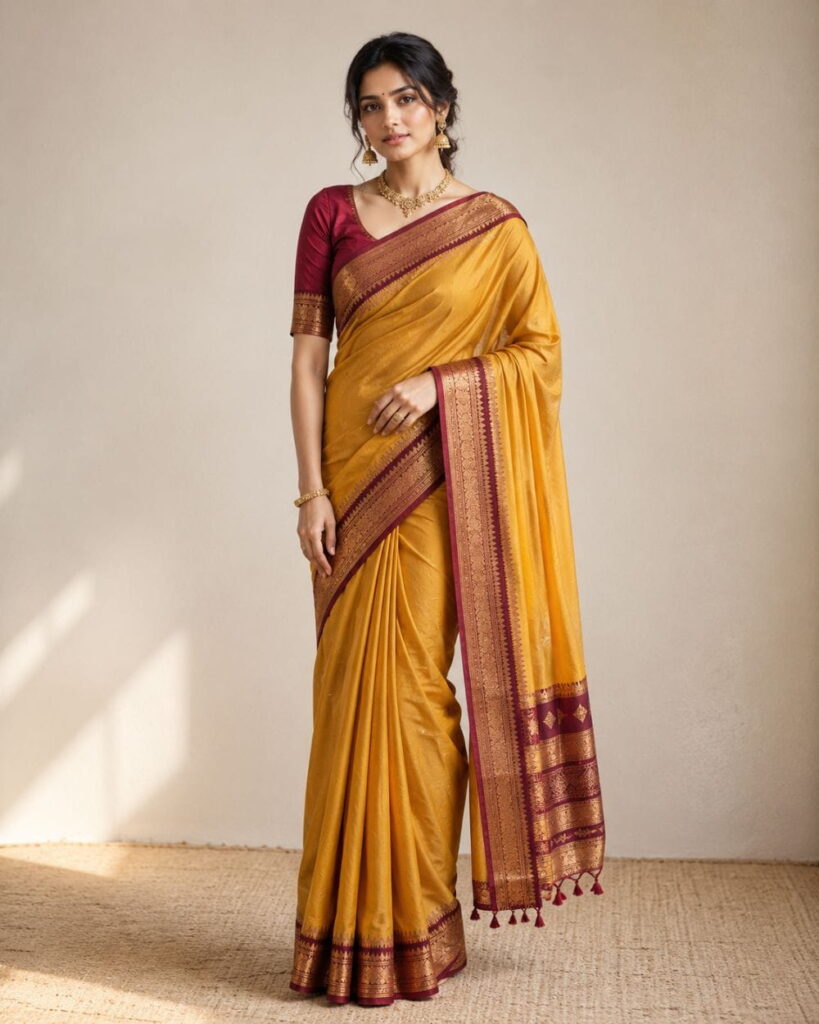
Specify the draping style by name — Nivi, Bengali, Gujarati/Seedha Pallu, or Coorgi — because the AI treats each style very differently. Vague prompts like “traditional saree drape” tend to produce a generic, inaccurate result. If you’re generating a full-body shot, add a line about the pleats: “five to seven visible pleats, evenly fanned, tucked at the waist” gives the model something concrete to work with instead of guessing.
Always check the border and pallu pattern after generation. AI tools sometimes warp woven borders when rendering drape folds, so zoom in on that area specifically before you approve the image. If the pattern looks stretched or broken, regenerate with an added instruction: “preserve the woven border pattern without distortion across the pleats.”
Hack 3: The Color-True Fabric Prompt
Color accuracy is non-negotiable in saree photography — a bride shopping for a maroon Kanjeevaram doesn’t want a surprise when the parcel arrives in a shade of brick red. Yet this is one area where these prompts can go wrong fast if you’re not specific, since AI models tend to “beautify” colors by boosting saturation unless you explicitly tell them not to.
A shade that looks rich and vibrant on screen can look completely different once printed, embroidered, or viewed under a customer’s home lighting. That gap between screen color and real-world color is exactly what this hack is designed to close.
The prompt:
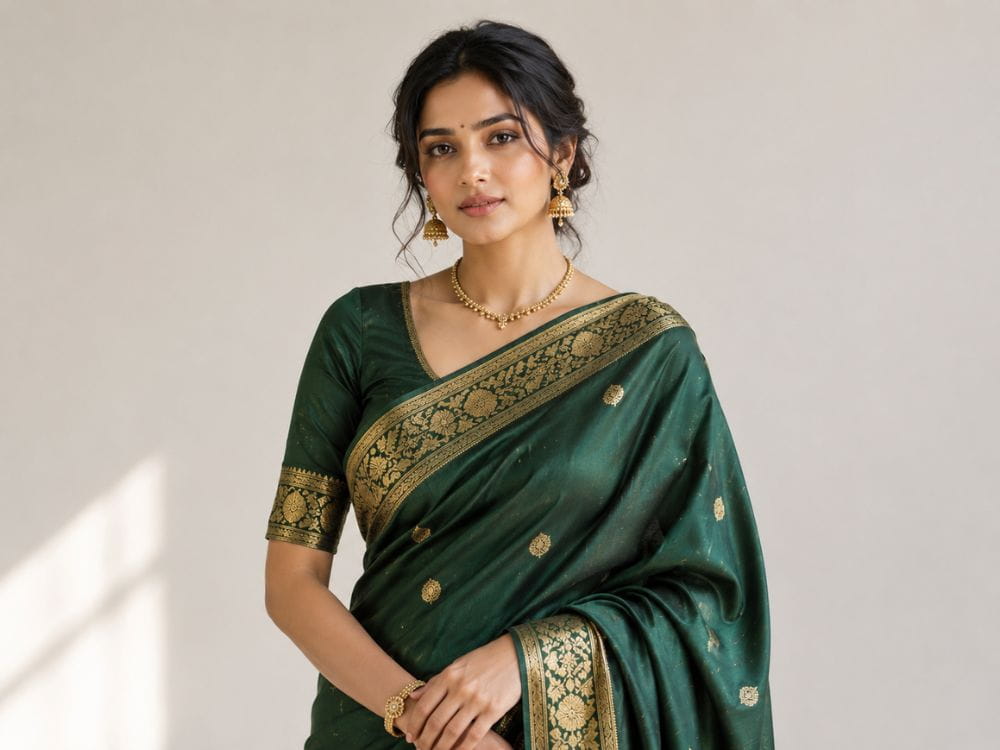
“Keep the exact fabric color and shade as shown in the reference image — [insert precise shade, e.g., ‘deep bottle green with gold zari’] — do not shift hue, saturation, or warmth. Match color temperature to natural daylight, 5500K.”
How to Apply It
Name the color as precisely as you can, ideally the way it would appear on a product tag: “mustard yellow,” “peacock blue,” “rani pink,” rather than just “yellow” or “blue.” If you have the original swatch or a well-lit reference photo, upload it alongside your generation prompt so the tool has something concrete to color-match against, not just a text description.
After generating, compare the output against the real fabric under natural window light, not screen light alone, since screens can trick your eye. If there’s a visible shift, add “correct for AI color drift, preserve true-to-life saturation” to your next prompt attempt. This one extra pass saves you from return requests and unhappy customers later.
Hack 4: The Model Pose Variation Prompt
One photo of a saree rarely tells the full story. Buyers want to see how it moves, how the pallu falls when the model turns, and how it photographs from multiple angles — all without booking a model for a full day.
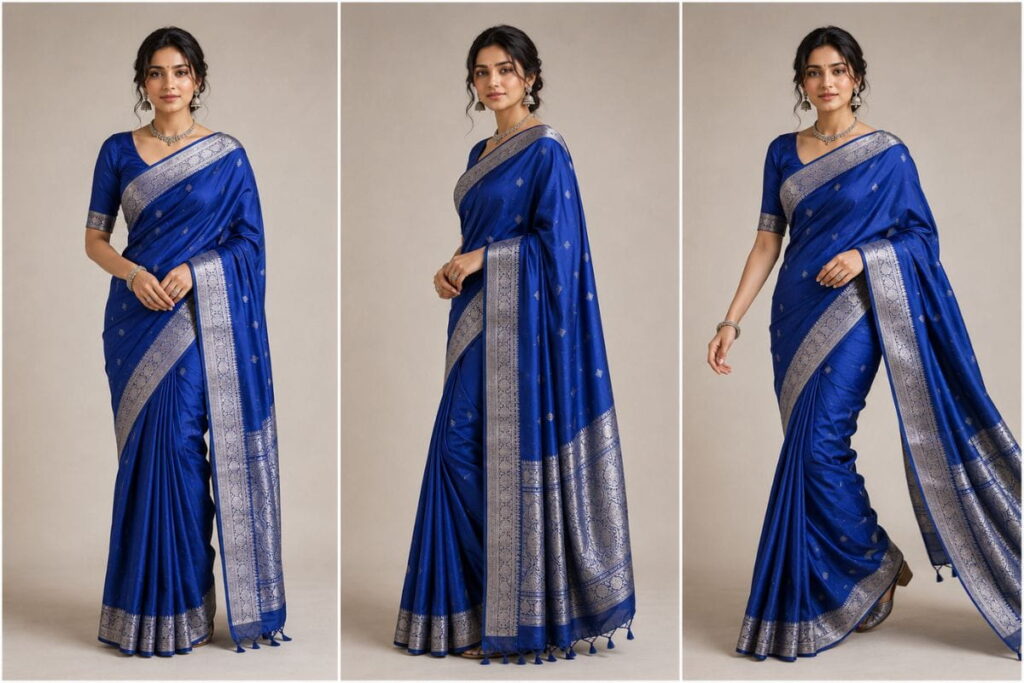
The prompt:
“Generate three pose variations of the same saree and model: (1) standing straight, front-facing, hands relaxed by the side, (2) three-quarter turn showing the pallu drape from the side, (3) walking pose with the pallu gently swaying, same lighting and background across all three.”
How to Apply It
Keep the base reference consistent—same model face, same saree, same background—across all three prompts, or the AI tool will introduce inconsistencies that make the set look mismatched. Generate the poses one at a time rather than all at once if your tool allows it, since sequential generation with the same seed or reference tends to hold detail better than a single batch request.
Use this hack specifically for product listing pages that need multiple angles and for Instagram carousels where a “spin” through poses keeps viewers swiping. If a pose looks unnatural—arms bent at odd angles is a common AI error—add “natural relaxed arm and hand positioning, avoid distorted fingers” to the prompt and regenerate.
Hands and fingers remain one of the trickiest details for AI models to render correctly, even in 2026. If a generated pose comes back with an extra finger, an oddly bent wrist, or a hand half-hidden in the pallu fabric, don’t try to fix it with more prompt text alone—often a fresh regeneration with the same prompt produces a cleaner result faster than endless tweaking. Keep two or three approved poses on hand for each saree so you’re never relying on a single image that might not perform well across every platform.
Hack 5: The Background Storytelling Prompt
A saree photographed against a blank wall is functional. A saree photographed against a backdrop that tells a story—a heritage courtyard, a monsoon-lit balcony, a marigold-strewn floor—is what actually gets saved, shared, and remembered.
The prompt:
“Place the saree and model in a warm heritage courtyard setting, golden hour lighting, terracotta walls, soft bokeh in the background, festive but uncluttered, the background should complement the saree color without competing with it.”
How to Apply It
Match the mood of the background to the occasion the saree is meant for — a wedding-ready Kanjeevaram suits a temple courtyard or mandap-style setting, while a lightweight cotton saree photographs better against a breezy outdoor or café backdrop. Avoid backgrounds with strong competing colors; a bright red saree against a similarly saturated backdrop will visually cancel itself out in photos.
Always add “background should complement, not compete with, the saree color” as a closing instruction, since this single line consistently improves how AI tools balance the composition. Once you land on a background style that performs well with your audience, reuse the same prompt structure across your next few product shoots for a cohesive, recognizable feed.
Hack 6: The Zari and Embroidery Close-Up Prompt
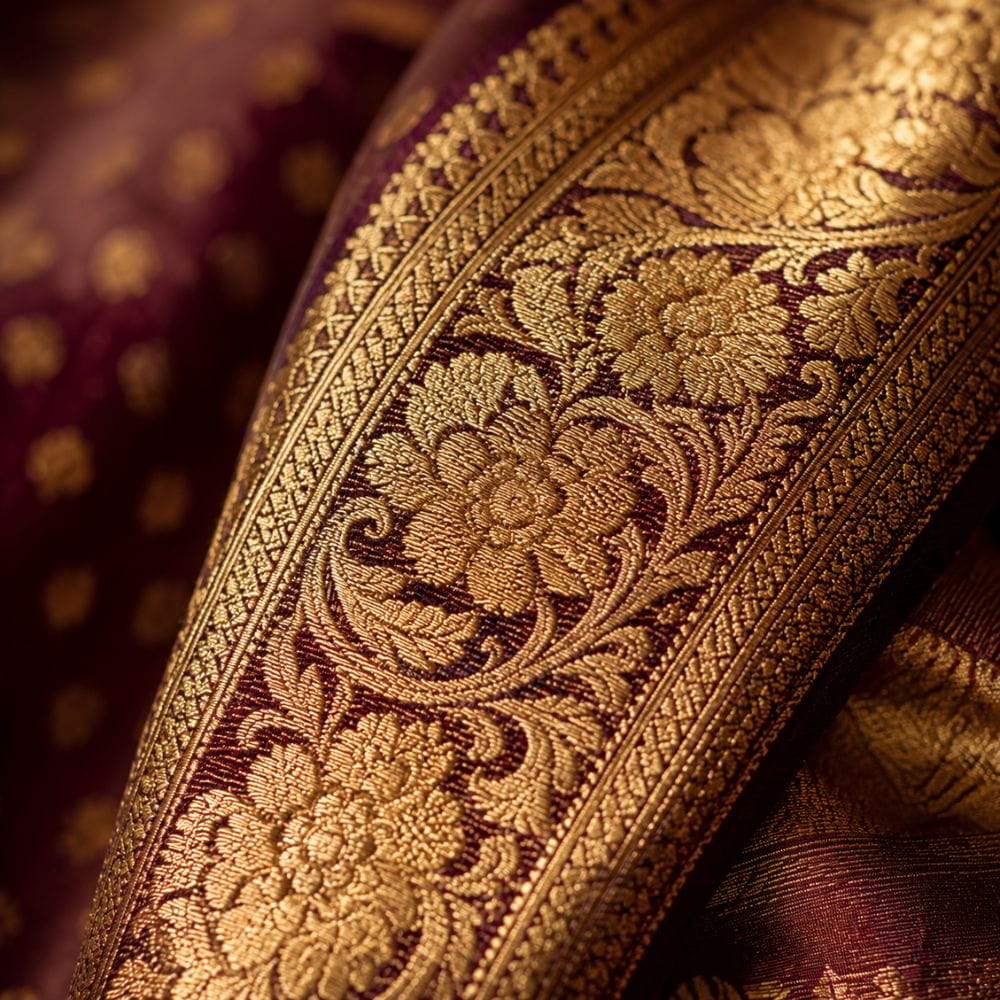
Close-up shots of embroidery, zari work, and border detailing are often what convince a buyer to complete a purchase, especially for high-value pieces like Kanjeevaram, Banarasi, or hand-embroidered sarees. Generic full-body prompts almost never capture this detail well.
The prompt:
“Generate a macro close-up of the saree border, focus on the zari thread work and embroidery pattern, shallow depth of field, soft directional light to highlight thread texture and metallic sheen, no blur on the pattern itself.”
How to Apply It
Crop or reference the exact section of the saree you want highlighted before prompting—border, pallu motif, or blouse embroidery—rather than asking for a generic “close-up,” which often defaults to the most visually busy area instead of the one you actually want to sell. Mention the specific technique by name if you know it: zardozi, resham, kundan, or thread work, since naming the craft nudges the AI toward more accurate texture rendering.
Use these close-ups as secondary images in your product gallery, right after the full drape shot. This pairing — full drape first, detail shot second — mirrors how real boutiques photograph high-end sarees and tends to build more buyer confidence than close-ups alone.
Hack 7: The Festive Campaign Prompt
Around Diwali, wedding season, or Navratri, sellers need imagery that feels celebratory without looking like a generic stock photo. This final hack in the series is built for exactly that seasonal push, when a sudden spike in traffic means a boutique needs a full set of promotional images fast, often with only a few days’ notice.
Festive campaigns also tend to get shared and saved more than everyday product shots, which makes the visual quality here worth extra attention. A campaign image that feels warm and celebratory, rather than staged, is far more likely to be reposted by customers on their own social accounts — free organic reach that a flat product photo rarely earns.
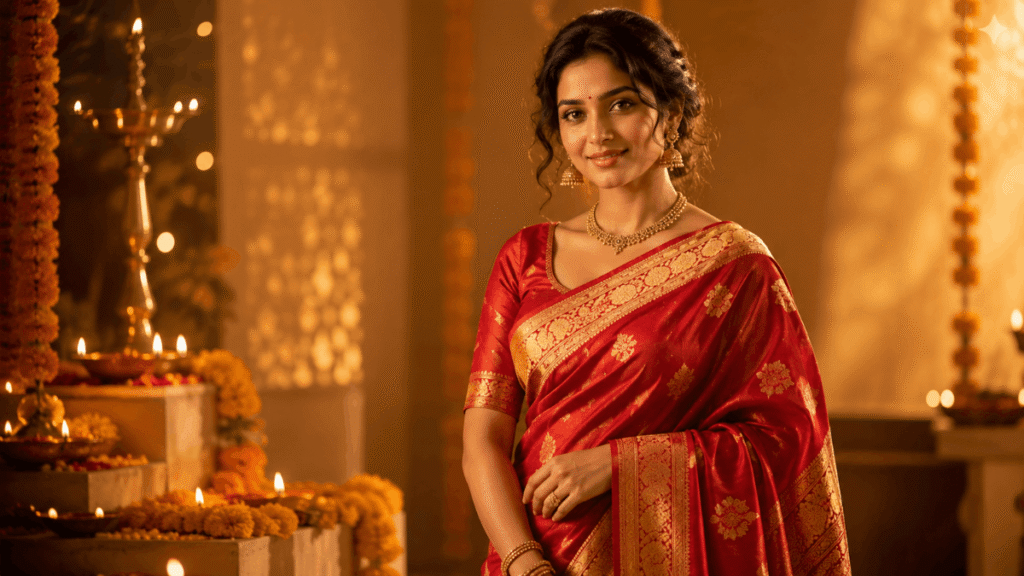
The prompt:
“Create a festive campaign-style image: saree draped model standing near diya lights or marigold decor, warm amber tones, joyful but composed expression, celebratory atmosphere, promotional-image quality suitable for social media and banner ads.”
How to Apply It
Time your prompt generation at least two to three weeks before the actual festival so you have room to regenerate and refine before the promotional window closes. Keep the model’s expression instruction specific—”gentle smile, composed, confident” tends to outperform vague terms like “happy,” which can produce exaggerated or unnatural expressions.
Generate a batch of these in both portrait (for Instagram Stories and Reels covers) and landscape (for website banners and Facebook ads) orientations from the same prompt, just changing the aspect ratio instruction. This gives you a full festive campaign kit from a single well-tested prompt rather than starting from scratch for each platform.
Tools and Setup You’ll Need Before You Start
You don’t need expensive software to put these hacks into practice, but a little setup goes a long way toward getting consistent results.
A reliable base image. Every hack on this list works better with a real reference photo of the actual saree — even a clean phone photo taken near a window. AI tools are far better at refining an existing image than inventing fabric texture, color, and drape from text alone.
An AI image generation tool that accepts image references. Look for a tool that lets you upload a photo alongside your text prompt, rather than text-to-image only. This matters most for Hacks 2, 3, and 6, where matching the real saree’s drape, color, and embroidery is the entire point.
A simple prompt log. Keep a running document — a notes app, spreadsheet, or even a plain text file — where you save your best-performing prompts for each hack. Saree fabric types vary (silk, cotton, chiffon, georgette), and what works for a stiff Kanjeevaram won’t always work for a flowing chiffon. Over time this log becomes a personalized playbook you can reuse for every new arrival.
Basic photo editing for touch-ups. Even a great AI-generated image sometimes needs a small crop, brightness tweak, or watermark added before it’s ready to publish. A lightweight editor is enough; you don’t need anything professional-grade.
How to Apply It
Set aside a short block of time—thirty to forty-five minutes — the first time you try this workflow end to end for a single saree. Photograph the saree in decent natural light, run it through Hack 1 for lighting correction, then layer in whichever of the remaining hacks fit your goal for that image, whether that’s a close-up, a festive campaign shot, or a full pose set. Once you’ve done this once or twice, the whole process shrinks down to ten or fifteen minutes per saree, since most of the early time investment is just getting familiar with how your chosen tool responds to prompt phrasing.
A Quick Case Study: Turning One Flat-Lay Photo Into a Full Product Set
To see how these hacks work together rather than in isolation, it helps to walk through a single example from start to finish.
Imagine a small boutique owner photographs a new Banarasi silk saree as a simple flat lay on a bed—decent lighting, but flat and uninspired, the kind of photo that gets scrolled past in a marketplace feed. Starting with Hack 1, the studio-light simulation prompt transforms the flat lighting into something with dimension and warmth, immediately making the zari border pop. Next, Hack 3’s color-true fabric prompt is applied to make sure the deep red base color stays accurate rather than drifting toward orange, which is a common AI rendering issue with warm reds.
From there, Hack 2 recreates the saree in a proper Nivi drape on a model reference, followed by Hack 4 to generate three pose variations from that same draped image — a front view, a three-quarter turn, and a walking shot. Hack 6 adds a macro close-up of the zari border for the product gallery’s second image slot. Finally, since the saree is being launched right before wedding season, Hack 7 produces a festive campaign version for Instagram, with warm diya lighting and a celebratory but composed mood.
What started as one flat, forgettable photo becomes a full six-image product set — lighting-corrected, color-accurate, properly draped, multi-angle, detail-focused, and campaign-ready — without a single hour of studio time. That’s the real value of building a prompt library around these seven hacks: each one solves a specific problem, but stacked together, they cover an entire product shoot’s worth of imagery from a single starting photo.
Common Mistakes With AI Prompts for Saree Photography
Even with strong prompts, a few recurring mistakes trip up beginners:
- Being too vague. “Make it look nice” gives the AI nothing to work with. Specificity — colors, lighting direction, drape style — is what separates usable output from generic filler.
- Skipping the reference image. Text-only prompts without an uploaded reference photo of the actual saree tend to drift from the real product, which can mislead buyers.
- Ignoring pattern distortion. Woven borders and complex embroidery are the first things AI tools get wrong. Always zoom in before approving an image.
- Overusing one background style. Repetition across every listing can make a catalog feel monotonous. Rotate backgrounds seasonally, and revisit our <a href=”/ethnic-wear-styling-tips”>ethnic wear styling tips</a> for seasonal inspiration.
- Forgetting to disclose AI-assisted imagery where required. Some marketplaces and ad platforms have policies around AI-generated content — check your platform’s guidelines before publishing.
- Publishing without a final human check. Even the best prompt setup benefits from one last look by a real person before an image goes live, since small details like an extra finger or a warped border pattern are easy to miss on a quick glance.
FAQ: AI Prompts for Saree Photography
Q: Can these AI prompts replace a real saree photoshoot entirely?
Not entirely, and it’s not really the goal. AI-generated images work best for previews, social content, and mockups. For final product listings on major marketplaces, a real photo — even a phone shot with good lighting — still builds more buyer trust.
Q: Which AI tools work best for saree and ethnic wear photography?
Most modern AI image generation tools that support image references and detailed prompts can handle this. The key isn’t the tool itself so much as how specific and structured your prompt is.
Q: Will the AI-generated color match my actual saree fabric?
Not always perfectly. Always name the shade precisely, upload a reference image, and double-check the output under natural light before publishing, especially for bridal or high-value pieces.
Q: How long does it take to get a usable image with these prompts?
Typically a handful of generations per prompt, refined over two or three attempts. Keeping a saved library of your best-performing prompts speeds this up significantly for future shoots.
Q: Do I need photography experience to use these prompts?
No. That’s part of the appeal — these prompts are written so that boutique owners, small sellers, and hobbyist stylists with no formal photography background can still produce polished, consistent imagery.
Q: Is it okay to use AI-generated saree images for paid ads?
Generally yes, but check the specific ad platform’s current policy on AI-assisted or AI-generated imagery first, since rules vary and change periodically. It’s also good practice to keep a real photo of the product on hand in case a platform or customer asks for verification.
Q: How do I stop the AI from distorting the saree’s border pattern?
Explicitly mention the border in your prompt with an instruction like “preserve the woven border pattern without distortion,” and always zoom in on that area of the output before approving it. Border and embroidery distortion is the single most common quality issue across all seven hacks, so it’s worth checking every single time.
Final Thoughts
These seven hacks aren’t a shortcut around good photography — they’re a new layer on top of it. Used well, they help small sellers compete visually with bigger brands, fill content gaps between real shoots, and test styling ideas before committing to a full production day. Start with one or two of these hacks, build a small library of prompts that consistently work for your fabric types, and expand from there.
The sellers who get the most out of this approach tend to treat it as an ongoing practice rather than a one-time trick. Fabric types behave differently, seasons change what buyers are looking for, and AI tools themselves keep improving month to month. Revisiting your prompt library every few months, updating the ones that feel stale, and testing new phrasing against your best-performing images is what turns a handful of clever prompts into a real, repeatable system for ethnic wear photography.
For more real examples of these techniques applied to finished product photography, browse more of our content on ethnic wear and saree styling or check out these external resources for further reading on AI image generation fundamentals: OpenAI’s research overview on generative image models.